To remove junk during an office cleanout, list what should stay and sort the rest for reuse, donation, recycling, or disposal. Plan the work around staff needs, building rules, and safe access. In Apex, a clear plan helps businesses move bulky items without losing track of useful goods or private records.
Table of Contents
- What counts as junk during an office cleanout?
- How should a business plan an office junk removal project?
- How can you sort office items before removing them?
- What should businesses know before removing office electronics?
- How can you remove office junk safely and efficiently?
- What affects the time and effort needed to remove office junk?
- How can a business prepare for its next office cleanout?
What counts as junk during an office cleanout?
Office junk includes furniture, equipment, supplies, and other things a business no longer needs. Some items may still be useful, so decide what should happen to each one before moving it. A clear plan can help keep good items from being thrown away by mistake.
Furniture, cubicles, and fixtures
Desks, chairs, filing cabinets, shelves, and tables are common items in an office cleanout. A business may also need to remove cubicle panels, meeting room furniture, reception desks, or broken storage units. Fixtures are items attached to or used as part of a space, such as shelves or counters. Check with the property manager before removing anything that may belong to the building.
Large items can be hard to move through narrow halls or elevators. Before removal, note which pieces can come apart and which need a clear path. Keep furniture that staff still use away from the removal area. Mark items that belong to the building so nobody mistakes them for business junk.
Electronics, supplies, and general clutter
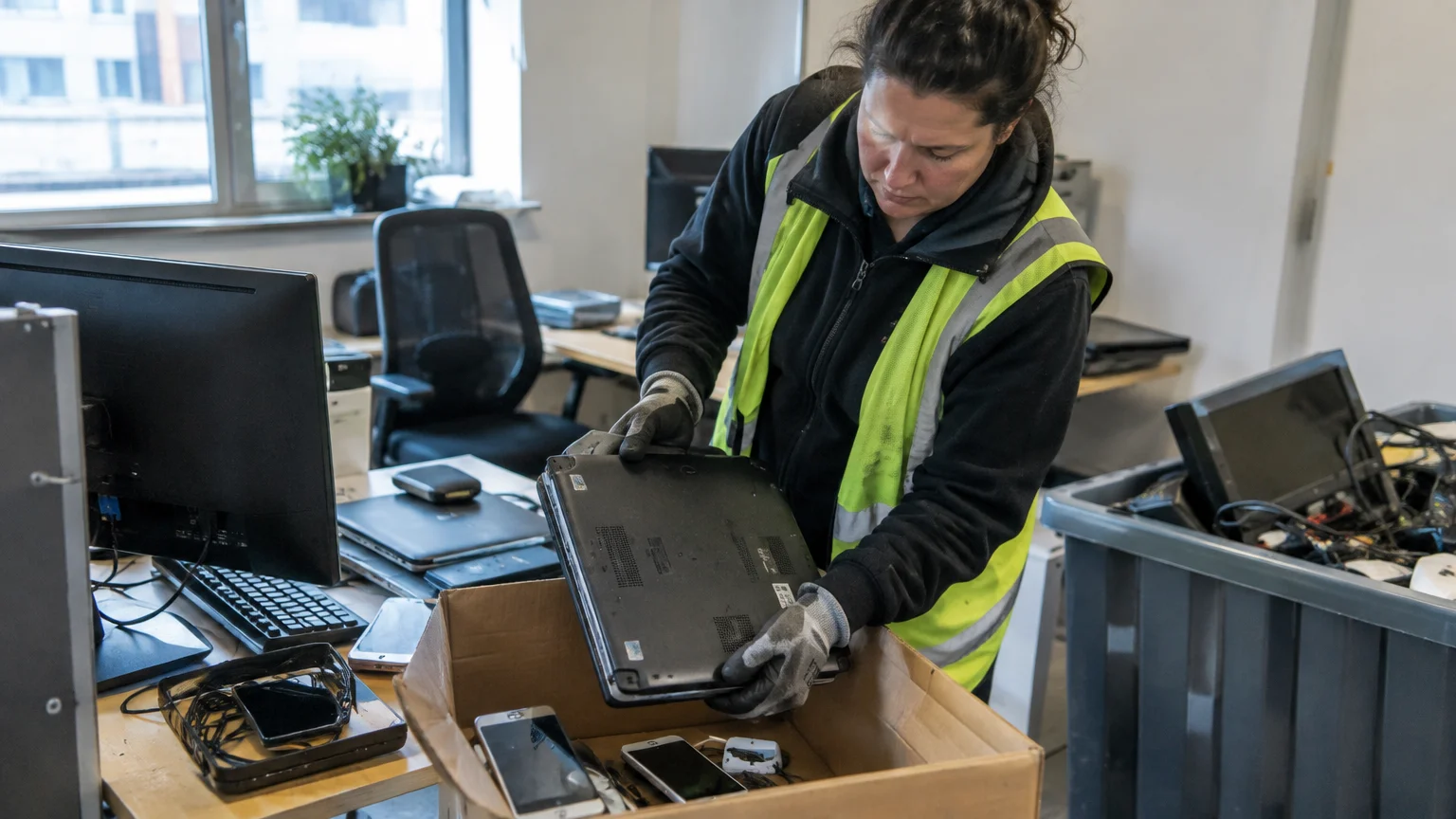
Printers, monitors, computers, phones, and other devices may need special care. Cables, batteries, and old office machines may also need a separate plan. Boxes of paper, worn supplies, broken decor, and unused items can pile up during a cleanout. Not everything that looks unwanted belongs in ordinary rubbish.
First, ask who owns each item and whether it still works. Then check for business records, stored data, or parts that need separate recycling. A working desk might be reused, while a broken printer may need an approved electronics route. Apex North Carolina Junk Removal can help businesses think through the mix of items before removal.
How should a business plan an office junk removal project?
Start with a list of items to remove, choose a work area, and pick a time that limits disruption. Include building access, staff roles, and any rules set by the property manager. Planning ahead helps the team avoid confusion once work begins.
Set goals, scope, and a workable schedule
Begin by stating why the cleanout is needed. A move, remodel, lease change, or office reset may each need a different plan. Decide which rooms are part of the work, what should stay, and what must go. A simple list for each room gives staff and removal teams a shared view.
Choose a schedule that fits normal business activity. For example, clear a storage room before moving on to shared work areas. This can help keep desks and walkways open for staff who still need to work. Leave time for sorting, packing, and approval for large or built-in items.
Coordinate with staff, property managers, and building operations
Tell staff what will be removed and when. Ask them to label personal items and work equipment that must stay. A manager can choose one person to answer questions and approve changes. This helps prevent the removal of something an employee still needs.
Check building rules before choosing the work date. The property manager may set rules for loading areas, elevator use, door access, or work hours. Some buildings may also ask for proof of insurance or notice before a service team arrives. Confirm these details early and share them with everyone involved.
Buildings in Apex can have different layouts and access rules. Apex North Carolina Junk Removal can plan around the details a business shares, so note stairs, loading access, and places where items may be staged. Keep the plan simple, and update it if the work area changes.
How can you sort office items before removing them?
Sort office items by their next step: reuse, donation, recycling, or disposal. Use clear labels and keep each group in a separate area. This makes useful items easier to find and helps keep records, electronics, and personal property from getting mixed in by mistake.
Separate items for reuse, donation, recycling, and disposal
Before setting an item aside for reuse or donation, ask if it is safe, clean, and useful. A working chair or shelf may help another team or local group. Do not pass on items that are broken or unsafe as usable goods. Check with a receiving group before setting aside large pieces, since its rules may differ.
Mark areas or containers for each group. Keep walkways clear and avoid stacking heavy things where they could fall. For a large office, use the same labels in each room so staff know what they mean. A short note to the team can explain where each group belongs.
- Reuse: Items the business plans to keep or use in another place.
- Donation: Clean, usable items that a receiving group agrees to take.
- Recycling: Materials accepted by a suitable recycling program.
- Disposal: Items that cannot be reused or accepted for recycling.
Identify confidential records and items that need special handling
Keep files, labels, and storage devices separate until the right person checks them. Confidential records are papers or data that should not be read or shared without permission. Follow the business’s record rules before shredding or disposing of them. Do not put private papers in a general junk pile.
Some items need special handling because they contain batteries, chemicals, or other parts that should not go in ordinary waste. Make a separate list and ask the right local waste or recycling provider how to manage them. If an item is leaking, damaged, or unclear, do not move it without advice. Mark the area and keep staff away until the next step is clear.
What should businesses know before removing office electronics?
Before removing electronics, protect stored data, check who owns each device, and sort items by type. Computers and phones may hold private business information even when they no longer work. Keep batteries and many electronic items out of ordinary rubbish.
Protect data and prepare devices for removal
Ask the person who manages business technology to review each computer, phone, printer, or storage device. Follow the company’s data removal steps before a device leaves the site. Deleting a file may not fully clear a device, so follow trusted instructions for that model or ask an IT professional.
Keep devices that need review in a secure area. Label them so staff know they are not ready to leave. Remove business labels or account details only after the right person says it is safe. If a device belongs to an employee or leasing company, confirm who can approve its removal.
A simple device list can note the item type, owner, and next step. Do not write passwords or private data on the list. This record can help the business track items as they move from the office to reuse, recycling, or another approved route.
Keep electronics and batteries out of ordinary waste
Electronics recycling means collecting and processing devices so their parts can be handled apart from regular rubbish. Local options and accepted items can vary, so check with a suitable electronics recycler or local waste program. Ask what it accepts before taking devices there.
Keep loose batteries separate and cover exposed ends when the battery maker advises it. Do not put damaged batteries in a regular pile or container. If a battery is swollen, hot, leaking, or damaged, keep people away and seek advice from the proper local safety or waste service. These steps can lower risks during an office cleanout.
How can you remove office junk safely and efficiently?
A safe office cleanout starts with a clear route, a tidy work area, and a plan for heavy or awkward items. Staff can sort items and do light tasks, but they should not lift beyond their ability. Use trained help for bulky loads, hard access, or items that may be unsafe to move.
Prepare access routes and protect the workspace
Before removal starts, move loose supplies and small items away from doorways and halls. Protect floors and walls where large objects will pass. Keep exits open and make sure staff can still reach the areas they need. Keep the work zone apart from people who are not part of the cleanout.
Measure tight doorways or elevator spaces if large furniture needs to pass through. Check if furniture can come apart, and keep its parts together. Do not block fire doors, stairwells, or building equipment. In a shared building, let nearby tenants know when noise or movement may affect them.
Reduce lifting, trip, and disruption risks
Keep boxes small enough for a person to carry safely, and do not stack them higher than a clear view of the path. Use a trolley for loads that suit it instead of carrying everything by hand. Do not ask one person to move a heavy desk or cabinet alone. Leave loads that are too heavy, awkward, or hard to grip for trained removal staff.
Loose cables, open drawers, and items on the floor can cause trips. Tie or tape cords only when it is safe and allowed, and keep them out of walkways. Staff should wear closed-toe shoes and follow building safety rules. Pause the work if a route becomes blocked or an item shifts in an unsafe way.
Some office cleanouts involve more than moving unwanted furniture. A team may need to sort items, protect shared spaces, and follow building access rules. For larger jobs, choose one point of contact so staff know what is happening and whom to ask. This keeps the work organized without making every employee responsible for removal.
What affects the time and effort needed to remove office junk?
The time and effort depend on how many items there are, how large they are, and how easy they are to reach. Building rules, sorting needs, and the kind of material also matter. A small room with clear access differs from a full floor with heavy furniture and limited loading space.
Consider item volume, access, and building requirements
Start by looking at the amount and type of material. A few chairs are simpler to move than rows of desks, cubicle panels, and file cabinets. Heavy or bulky items may need more people, tools, or time to move safely. Items that need review or sorting can add more steps.
Access can change the work plan. A loading door near the work area may help, while stairs, long halls, tight turns, or elevator limits may make removal harder. Ask the property manager about access times, lift bookings, and loading rules. Share these details with the removal team before the work date.
A move or remodel may bring extra needs. The business may need to protect finished floors, keep some rooms open, or clear items by a set date. Explain these needs early so the team can plan the order of work and avoid interrupting key business tasks.
Plan around business operations and disposal needs
Choose a work time that lets staff do their jobs. If the whole office cannot close, divide the cleanout into smaller areas. Move items from storage first, then clear shared spaces when staff can work elsewhere. Let employees know when halls or meeting rooms may be busy.
The next step for each item can also affect the plan. Reuse, donation, electronics recycling, and disposal may each have different rules. Check what receiving groups will accept before setting items aside. A clear sorting plan can cut down on handling items more than once and help rejected items avoid slowing the work.
For a business that needs help with several rooms, commercial cleanouts can support the removal plan. A clear note about the items, access, and building rules helps the service team understand the job. Confirm the plan before work starts, including what is included and which items need separate handling.
How can a business prepare for its next office cleanout?
A business can make future cleanouts easier by keeping a simple inventory, naming a staff lead, and setting rules for unwanted furniture and equipment. Regular checks can find items that are no longer used before they fill storage rooms. A repeatable process also helps staff protect records and sort items well.
Create a simple process for future furniture and equipment changes
When new furniture or devices arrive, decide what will happen to the old items. Record who owns them and whether they can be reused, donated, recycled, or removed. Keep this information with the business’s usual equipment records. Staff will have a clear place to check before moving anything.
Name a point person for cleanouts and share the basic steps with staff. The process can explain how to label items, protect records, and report equipment that needs special care. Review building rules when the business moves, changes its space, or changes property managers. Small checks can help prevent a rushed cleanout later.
Key takeaways
- Decide what stays, what can be reused, and what must leave.
- Keep confidential records and devices separate until they are reviewed.
- Check building access and work rules before setting the removal date.
- Keep walkways clear and leave heavy lifting to trained people.
- Confirm where electronics, batteries, and other special items should go.
Frequently Asked Questions
How do businesses handle a large office cleanout?
Start with a list for each room, choose a staff lead, and agree on what stays or goes. Then check building access, protect records, and sort items by their next step. At a large site, clearing one area at a time can limit disruption and keep the work organized.
How should a business get rid of old office furniture?
First check whether the furniture belongs to the business or property owner. Set safe, usable pieces aside for reuse or donation, and ask receiving groups what they accept. Broken or unsafe items may need a different route. Do not leave furniture in shared halls or outside without approval.
Can office electronics go in regular rubbish?
Many electronics and batteries should stay out of ordinary rubbish. They may contain parts that need separate recycling or care. Check with a suitable local electronics recycler or waste program about accepted items. Before a device leaves, have the right person protect any business data stored on it.
What should happen to private files during a cleanout?
Keep private files away from general junk until an authorized person reviews them. Follow the business’s record rules for storage, shredding, or secure disposal. Do not leave papers in an open pile or give them to a donation group. Ask the person in charge of records if the next step is unclear.
Do staff need to move heavy office items themselves?
No. Staff can sort light items and label areas, but they should not lift anything that feels too heavy or awkward. Use moving equipment only when staff know how to handle it safely. Trained removal help is a better choice for large desks, cabinets, and items on stairs.
A well-planned office cleanout helps a business clear space while protecting people, records, and useful items. Sort first, confirm building rules, and make a safe removal plan. For businesses, Contact us at Apex North Carolina Junk Removal to discuss an office cleanout and plan the next steps. Learn more about Apex North Carolina Junk Removal.
If you are not sure what you are dealing with, it is worth having someone look at it before it turns into a bigger job. Get in touch with Apex North Carolina Junk Removal today and we will tell you where you stand.